
Creative Bay Labs · Open-source WordPress plugin

Blue Lens Analytics

Privacy-first, self-hosted analytics for WordPress. Cookieless by default, no IP addresses stored. It tracks clicks, forms and downloads, works on cached pages and keeps every record in your own database.

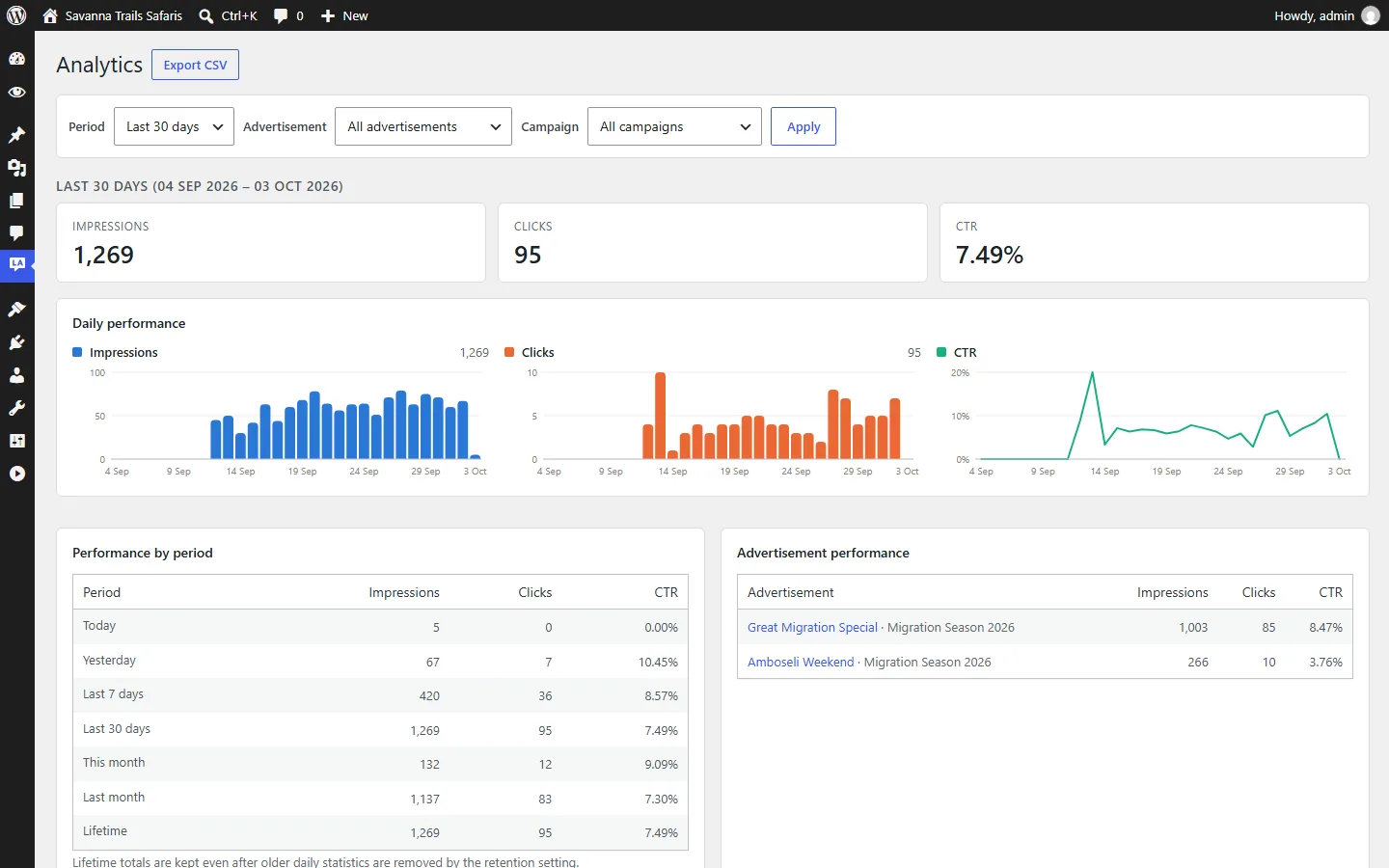
Blue Lens Analytics overview dashboard (demo data)
Current version
0.5.1
Requires
WordPress 6.4+ · PHP 8.1+
Data storage
Your WordPress database
Licence
GPLv2 or later

Screenshots

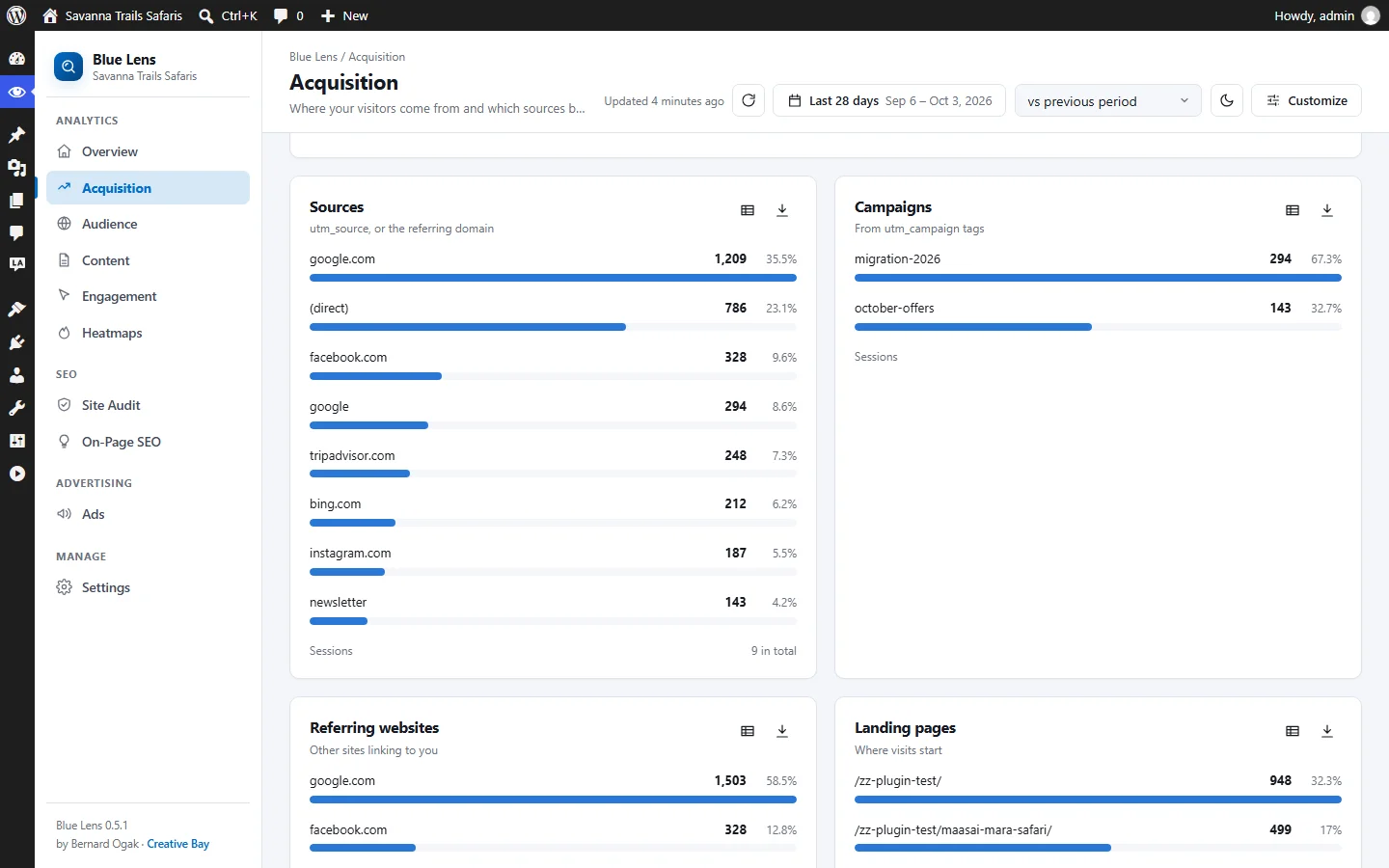
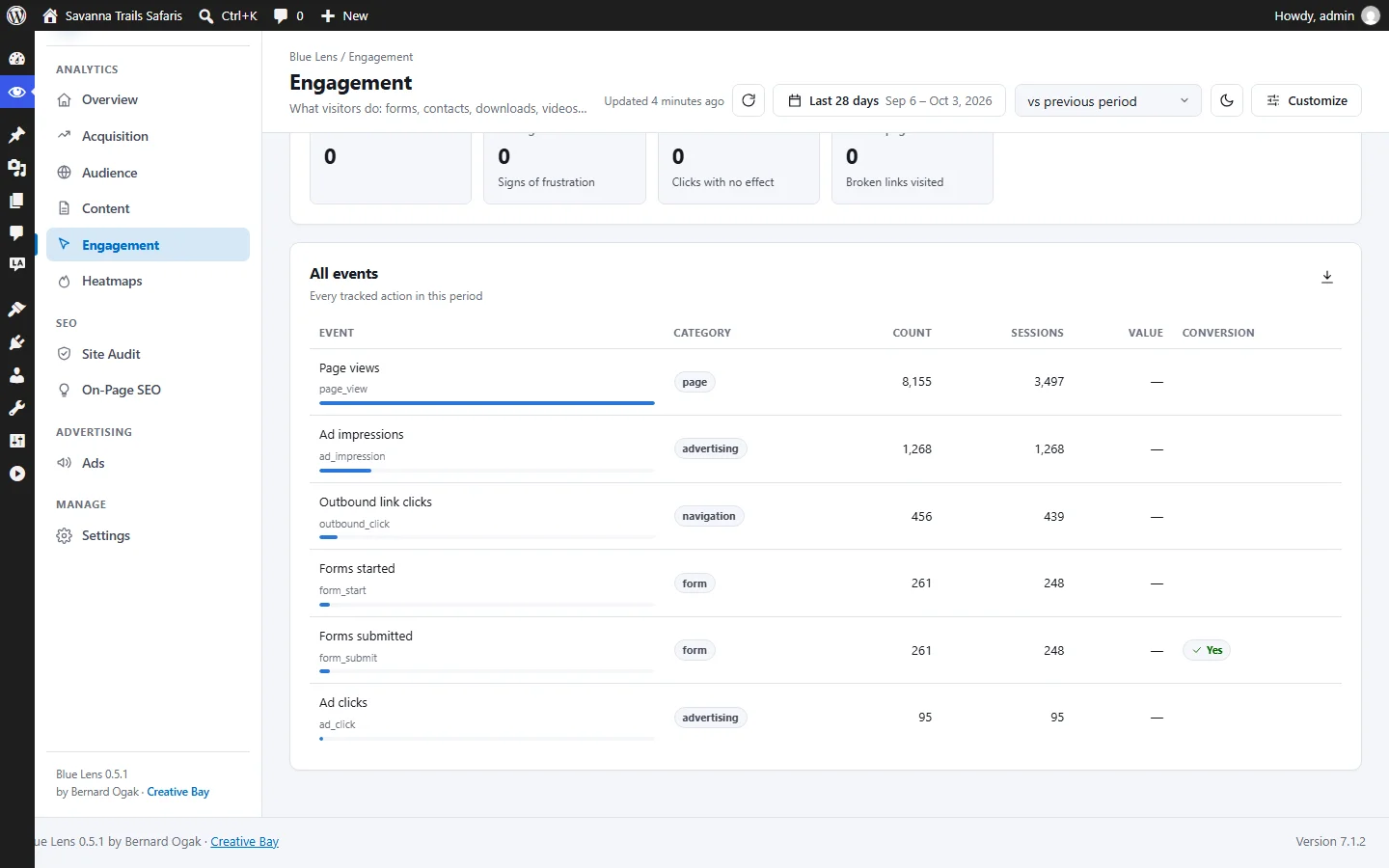
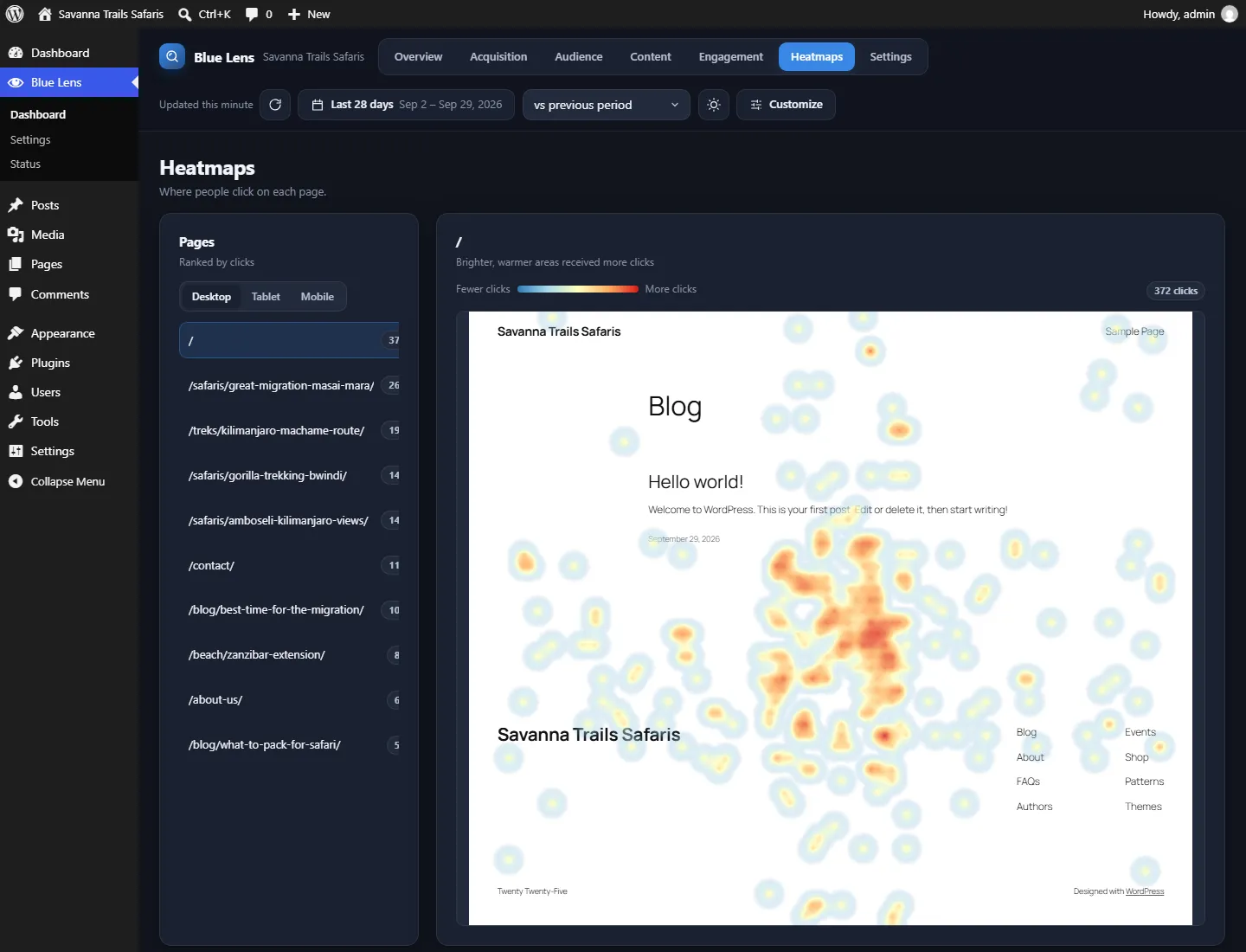
Clear dashboards, dark or light.

Screenshots show demo data.

Features

What Blue Lens does today.

Privacy by design

  • Cookieless by default: an anonymous code that changes daily
  • IP addresses never stored
  • Emails, phone numbers and tokens stripped from URLs and event data
  • Optional enhanced mode only after consent (WP Consent API)
  • Honours Global Privacy Control; optionally Do Not Track
  • No data sent to the plugin authors or third parties

Everything visitors do

  • Page views, engaged time, scroll depth, SPA navigation
  • Traffic sources incl. search, paid, social, email, referral, AI assistants and OTA/listing sites
  • Outbound links, downloads, phone, email and WhatsApp clicks, CTAs, site search, 404s
  • Form starts, abandonment and submissions (field values never recorded)
  • YouTube, Vimeo and HTML5 video engagement
  • Rage clicks, dead clicks, copy events and click heatmaps
  • Optional JavaScript errors and Core Web Vitals
  • Separate log of search-engine and AI crawler visits

Dashboards

  • Overview, Acquisition, Audience, Content, Engagement and Heatmaps
  • Dark and light themes, six accent colours, two densities
  • Choose metric tiles and card order, saved per user
  • Real-time visitors and period comparisons
  • Table view for every chart and CSV export
  • Share dashboards without giving settings access

Fast & compatible

  • Core script under 4 KB gzipped, deferred, never render-blocking
  • Works with full-page caching and optimisation plugins
  • Works with Gutenberg, Elementor, Divi, Bricks, WPML and Polylang
  • Multisite ready

For developers

  • JavaScript API: BlueLens.track()
  • PHP API: blue_lens_track()
  • REST API
  • Actions and filters at every stage

Integrations

Works with the tools you already use.

Form plugins
Contact Form 7
Gravity Forms
WPForms
Fluent Forms
Elementor Forms
Formidable
Ninja Forms
Caching & CDN
WP Rocket
LiteSpeed Cache
W3 Total Cache
SiteGround Optimizer
Autoptimize
Cloudflare
Builders & languages
Gutenberg
Elementor
Divi
Bricks
WPML
Polylang
Consent & privacy
WP Consent API
Global Privacy Control
Do Not Track (optional)
Video
YouTube
Vimeo
HTML5 video
Location (optional)
MaxMind GeoLite2
DB-IP Lite

Use cases

Answers to the questions you actually ask.

Website performance

Which pages hold attention? Engaged time, scroll depth, 404s and optional Core Web Vitals show where the site underperforms.

Visitor analytics

How many people visit, where from, on which devices, and what they do, without cookies by default.

Business reporting

Period comparisons, CSV export and shareable dashboards for managers or clients.

Marketing analytics

Channel grouping across search, paid, social, email, referral, AI assistants and listing sites such as TripAdvisor and Booking.com.

Conversion analysis

Form starts, abandonment and submissions, plus phone, email and WhatsApp clicks, to see where enquiries come from and where they are lost.

Documentation

Installation, user and developer guides.

The plugin ships with an installation guide (including optional GeoIP setup), a user guide, FAQ, privacy notes and a developer reference covering the JavaScript, PHP and REST APIs and all hooks.

See it on your own data

There's no public demo yet. Install the free plugin from GitHub, or ask us for a guided walkthrough and help setting it up on your WordPress site.

FAQ

Frequently asked questions

Does Blue Lens Analytics use cookies?

Not by default. In cookieless mode visitors are counted with an anonymous code that changes daily and nothing is stored on their device. An optional enhanced mode recognises returning visitors only after consent.

Does it store IP addresses?

No. IP addresses are used in memory for the anonymous daily code, exclusions and optional location lookup, then discarded.

Does it work with page caching?

Yes. Cached pages contain no visitor-specific data, and it works with common caching and optimisation plugins.

Is my data sent anywhere?

No. Everything stays in your WordPress database. No data is sent to Creative Bay or any third party.

Let's talk

Privacy-first analytics for your website.

Talk to us about Blue Lens Analytics, or a wider analytics setup for your business.